Using Pimlico with Privy
This guide shows you how to enable Smart accounts on your Privy account powered by Pimlico's infrastructure.
Why
Privy provides a seamless way to onboard users with embedded wallets and social logins. By enabling Smart accounts powered by Pimlico's infrastructure on Privy, you can:
- Sponsor gas fees to improve user experience
- Batch multiple transactions
- Use session keys for automations and uninterrupted confirmation
- Allow for additional recovery flows
Prerequisites
Before starting, ensure you have:
- A Privy account with access to the dashboard
- Your app configured in Privy
Configuration Steps
Create an API key
Create your API key to access our infrastructure.
Enable Smart Wallets in the Privy Dashboard
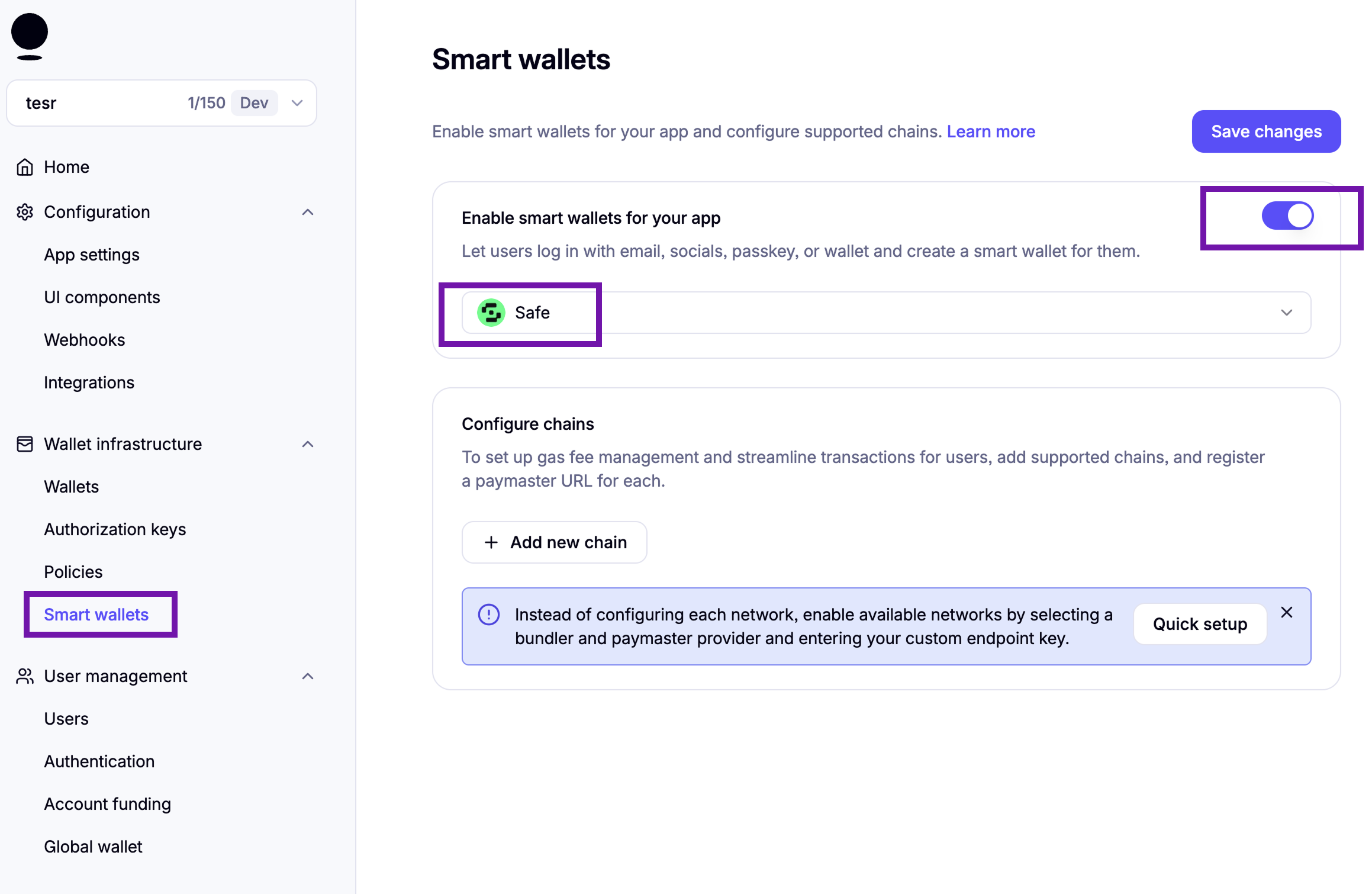
- Navigate to your Privy Dashboard and locate the Smart wallets section in the left sidebar under Wallet Infrastructure.
- Toggle on Enable smart wallets for your app. This allows users to log in with email, socials, passkey, or wallet and create a smart wallet for them.
- Choose your preferred smart account implementation. Pimlico supports all types of smart accounts. For this guide, we'll use Safe as an example.
Quick setup
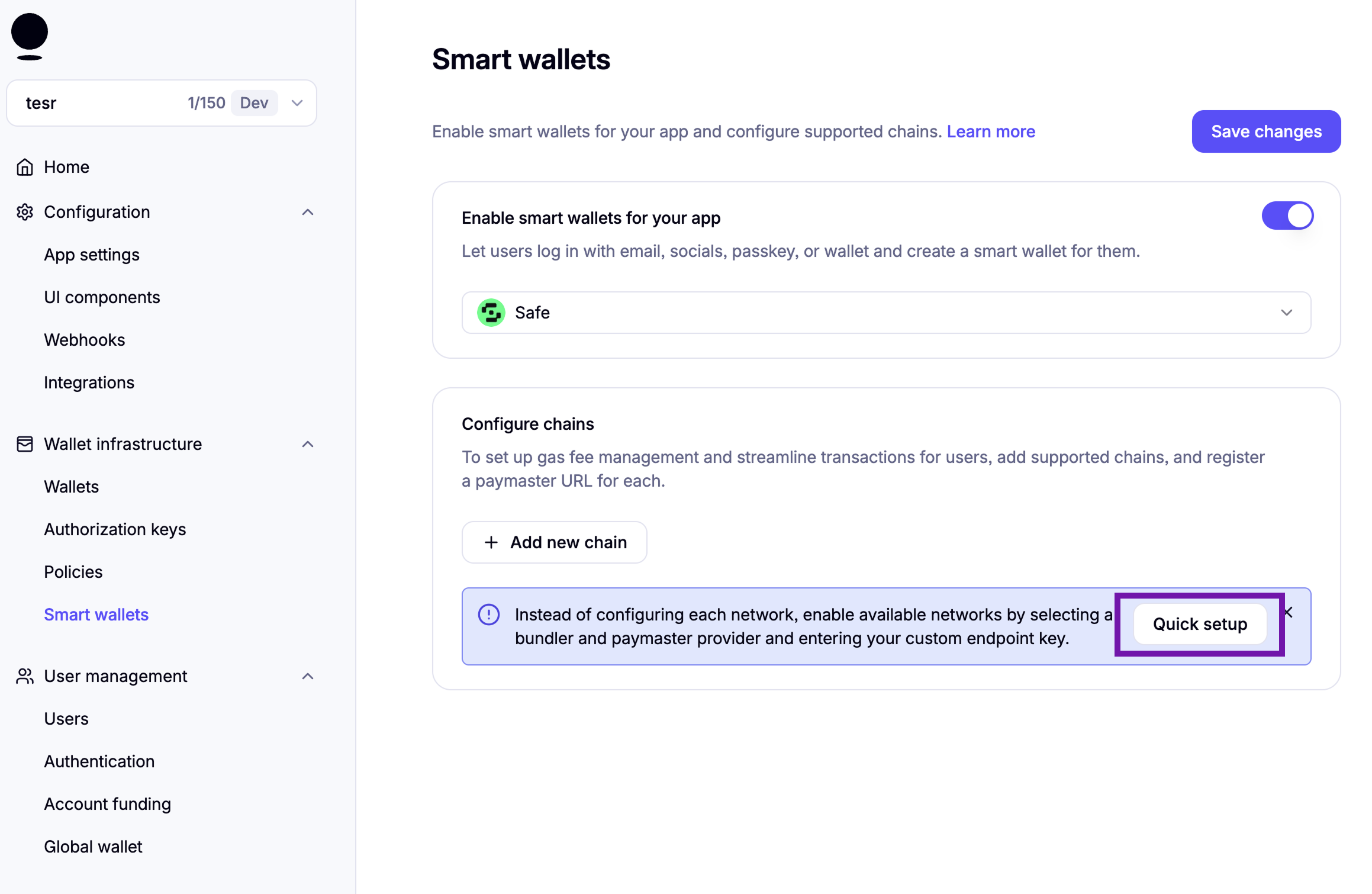
You can either configure each chain manually or configure all chains in one go using Quick setup. We recommend using quick setup as it is easier and will enable Pimlico on all the chains.
Configure Chains
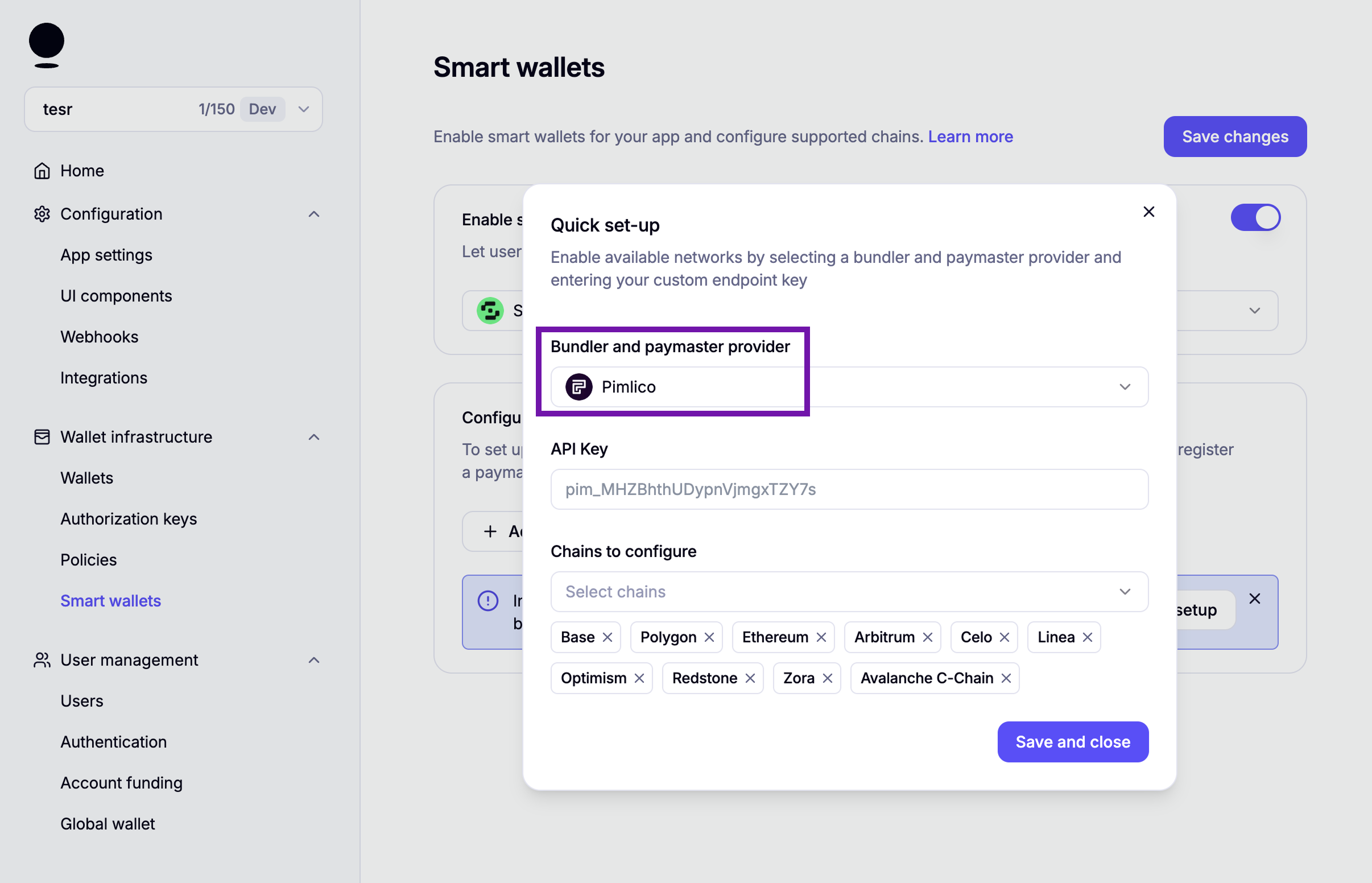
- Select Pimlico as the Bundler and paymaster provider.
- Enter your Pimlico API key. You can create an API key here.
- Select the chains you want to configure. Pimlico supports all the chains on Privy (and more).
You can check the complete list of chains we support here and can reach out to us if you need help in supporting a chain that Privy doesn't support.
Save Configuration
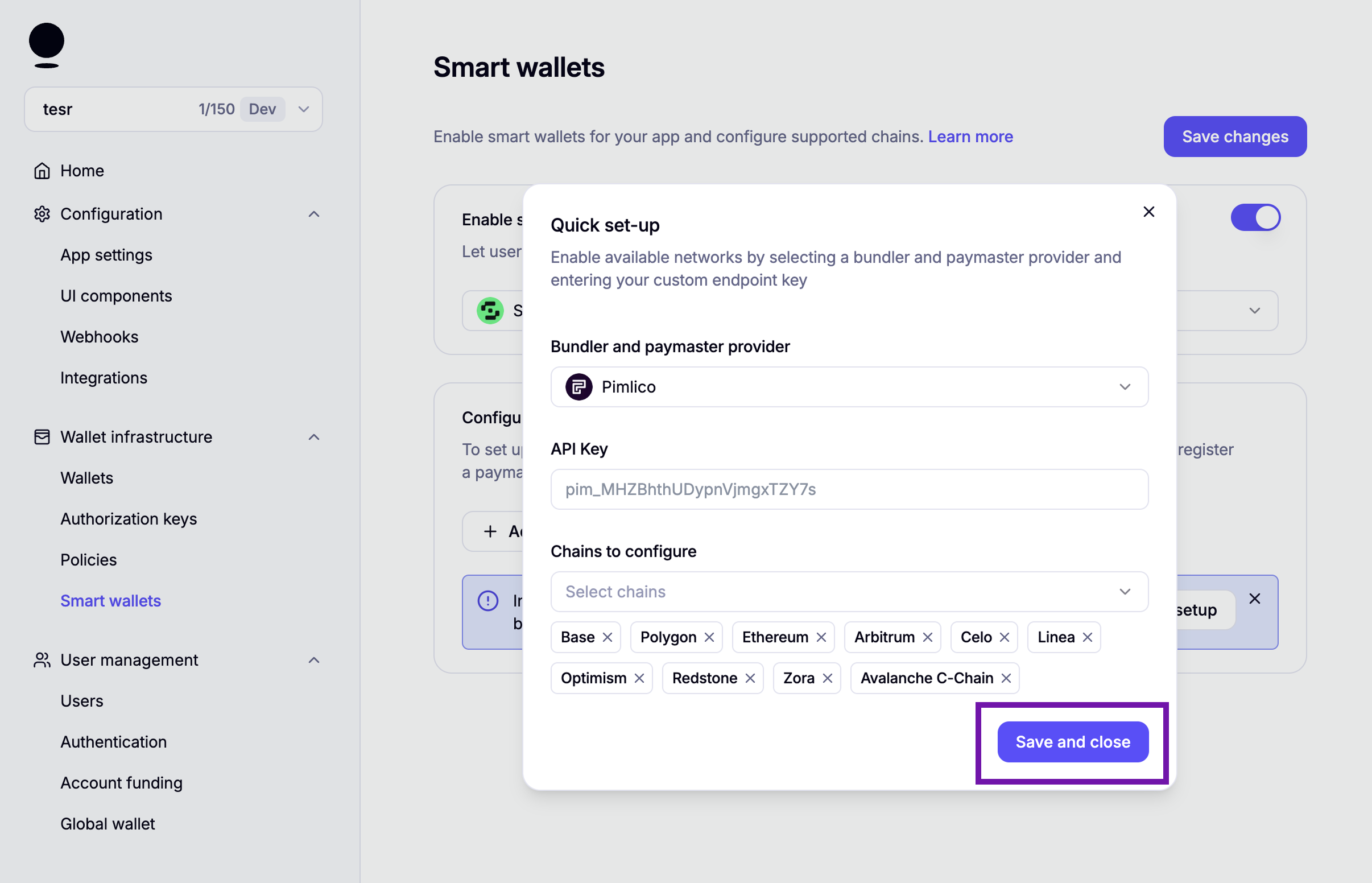
Click Save and close to apply your chain configuration, then click Save changes on the main Smart wallets page to persist all settings.